Integrations: compatible water meters and networks
If your meters already transmit, they connect as they are.
Datakubo receives readings from any source that sends them by webhook. Most often that is LoRaWAN and NB-IoT meters, through your network server (TTN, ChirpStack or an all-in-one gateway) or straight over HTTP. Because it does not talk to the meter directly, the meter brand does not matter.
Documented integrations, on LoRaWAN: B Meters Hydrodigit-S1 and the Axioma Qalcosonic W1 range. Any other meter that arrives by webhook works too, and if it needs a decoder we write it for free within 24 hours.
Last updated:
Compatible meters
Three levels: models with a documented integration, models that work through the standard path with no specific work, and models not supported yet, for which we write the decoder.
- Documented integration
- Own page, decoder, the manufacturer’s alarms turned into alerts, and a setup guide.
- Compatible
- Works through the standard path — ChirpStack or TTN JSON — with no model-specific work.
- Custom
- Not supported yet: we write the decoder for free within 24 hours.
6 results
| Meter | Protocol | Use | How it reaches Datakubo |
|---|---|---|---|
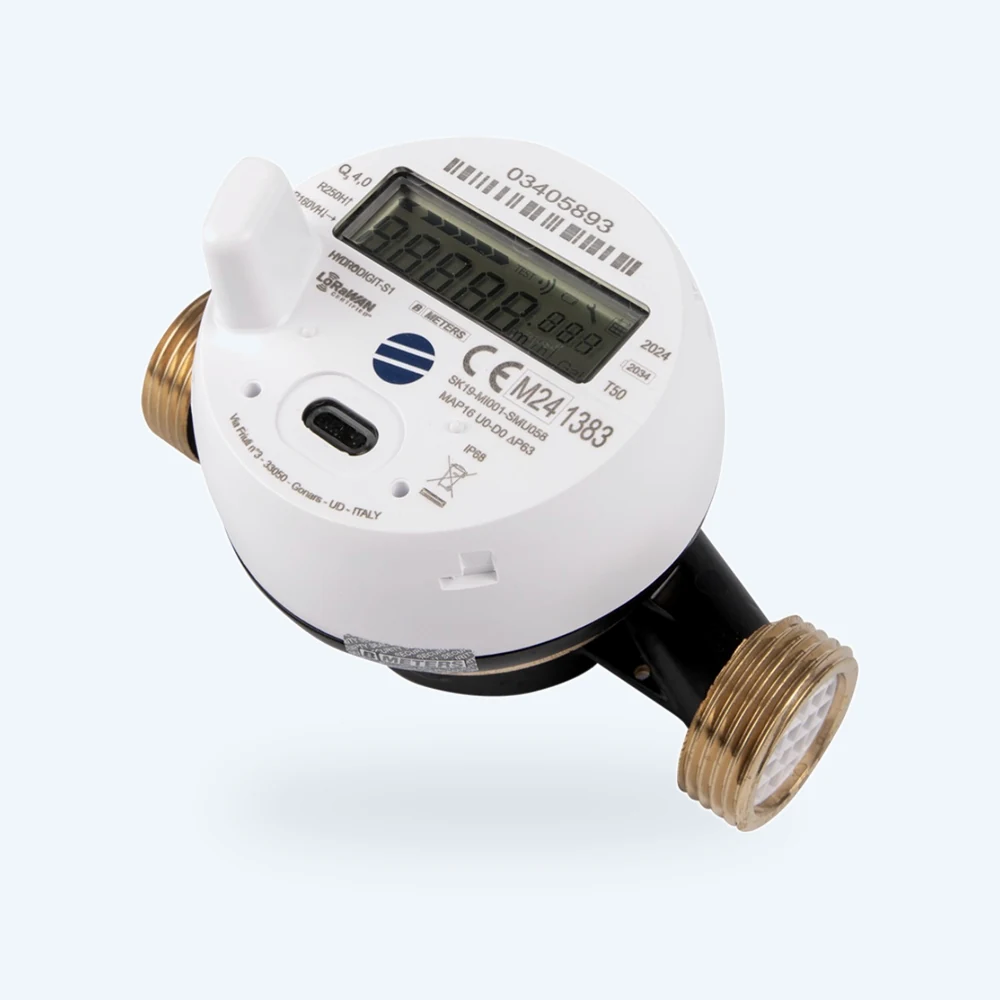 B Meters Hydrodigit-S1 Documented integration LoRaWAN with Datakubo’s own decoder: it is the meter in the AquaLinks case study (66 meters in one community). B Meters builds the NB-IoT version to order and it is not connected yet; we write its decoder for free within 24 hours. The Wireless M-Bus version is not read directly. | LoRaWANNB-IoT · Custom | Apartment meter, cold and hot water | LoRaWAN: TTN, ChirpStack or an all-in-one gateway. NB-IoT: built to order, custom connection. |
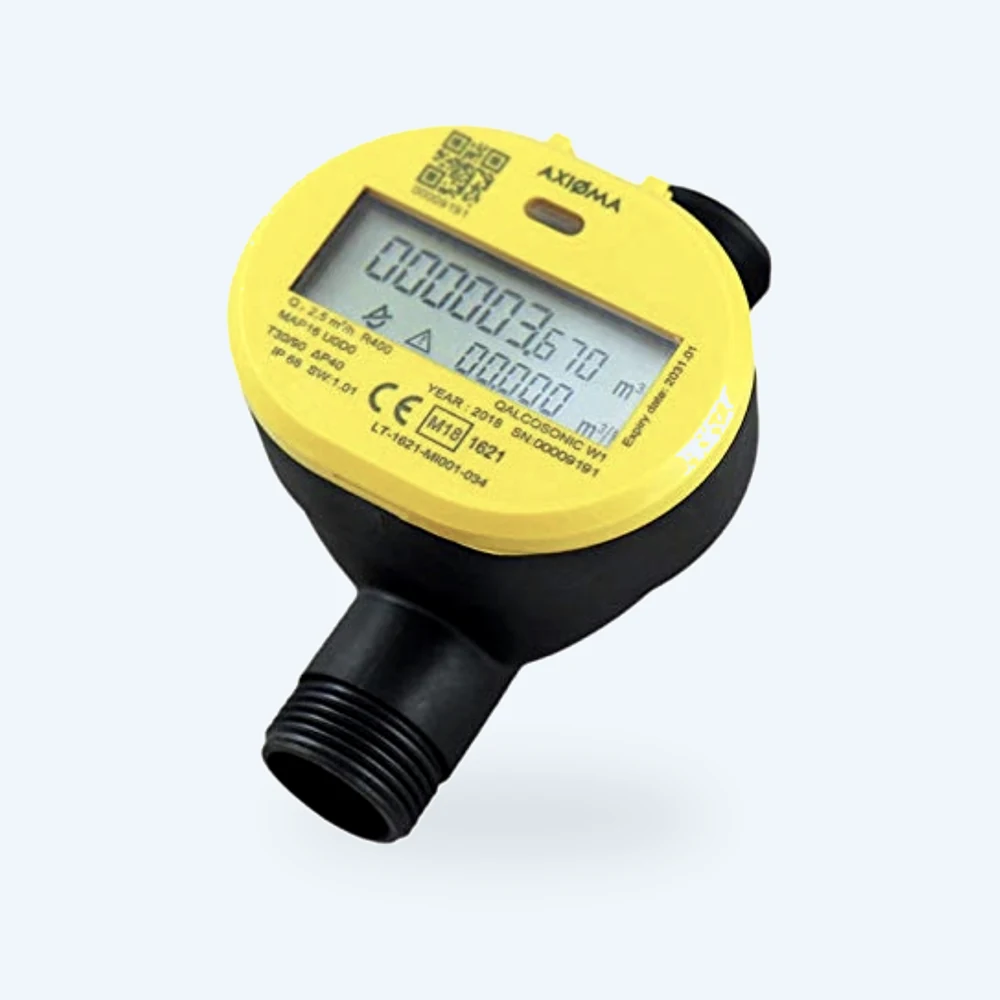 Axioma Qalcosonic W1 Documented integration The LoRaWAN version also carries Wireless M-Bus and both radios run at the same time; Datakubo reads the LoRaWAN one, with a step-by-step setup guide. The NB-IoT version does not send ChirpStack or TTN JSON: we build its connection for free within 24 hours. As the bulk meter of a zone, it is compared with the sum of the apartments to catch losses. | LoRaWANNB-IoT · Custom | Ultrasonic meter for apartments and bulk lines (risers, irrigation) | LoRaWAN: TTN, ChirpStack or an all-in-one gateway, with the manufacturer’s decoder. NB-IoT: custom connection. |
Other LoRaWAN meters Compatible | LoRaWAN | Mixed and other-brand fleets | Any network server that delivers the decoded uplink |
Other NB-IoT meters Compatible | NB-IoT | SIM-based meters | HTTP POST to the ingest endpoint, as ChirpStack or TTN JSON |
Wired M-Bus meters Compatible | M-Bus | Meter rooms wired for M-Bus | Through a concentrator that posts the readings over HTTP (ChirpStack or TTN format) |
Your model, if it is not listed Custom | LoRaWAN / NB-IoT | Any meter that already transmits | Send us the model and a sample uplink; we write the decoder for free within 24 hours |
B Meters Hydrodigit-S1
Documented integrationLoRaWANNB-IoT · CustomApartment meter, cold and hot water
LoRaWAN: TTN, ChirpStack or an all-in-one gateway. NB-IoT: built to order, custom connection.
LoRaWAN with Datakubo’s own decoder: it is the meter in the AquaLinks case study (66 meters in one community). B Meters builds the NB-IoT version to order and it is not connected yet; we write its decoder for free within 24 hours. The Wireless M-Bus version is not read directly.
See integration →Axioma Qalcosonic W1
Documented integrationLoRaWANNB-IoT · CustomUltrasonic meter for apartments and bulk lines (risers, irrigation)
LoRaWAN: TTN, ChirpStack or an all-in-one gateway, with the manufacturer’s decoder. NB-IoT: custom connection.
The LoRaWAN version also carries Wireless M-Bus and both radios run at the same time; Datakubo reads the LoRaWAN one, with a step-by-step setup guide. The NB-IoT version does not send ChirpStack or TTN JSON: we build its connection for free within 24 hours. As the bulk meter of a zone, it is compared with the sum of the apartments to catch losses.
See integration →Other LoRaWAN meters
CompatibleLoRaWANMixed and other-brand fleets
Any network server that delivers the decoded uplink
Other NB-IoT meters
CompatibleNB-IoTSIM-based meters
HTTP POST to the ingest endpoint, as ChirpStack or TTN JSON
Wired M-Bus meters
CompatibleM-BusMeter rooms wired for M-Bus
Through a concentrator that posts the readings over HTTP (ChirpStack or TTN format)
Your model, if it is not listed
CustomLoRaWAN / NB-IoTAny meter that already transmits
Send us the model and a sample uplink; we write the decoder for free within 24 hours
Can’t find your meter? Send us its datasheet and payload decoder, and we’ll add it.
Send the datasheetBy protocol
- LoRaWAN water meters: one gateway covers a building or a development, with TTN, ChirpStack or an all-in-one gateway.
- NB-IoT water meters: no gateway, each meter reports over the mobile network with its own SIM.
- Which one? LoRaWAN vs NB-IoT guide for water meters.
By manufacturer
- B Meters: the LoRaWAN meters in the AquaLinks deployment, with the hardware alarms the meter itself reports.
- Axioma Metering: the Qalcosonic W1 ultrasonic range on LoRaWAN, with a step-by-step setup guide; the NB-IoT version, to order.
Network servers and gateways
On LoRaWAN, the meter talks to a gateway and the gateway to a network server (LNS). Datakubo does not replace your LNS: it receives the already-decoded uplink from any of these.
| Source | How it connects |
|---|---|
| The Things Network (TTN) | Public network server (with a free plan), via custom webhook |
| ChirpStack | Your own network server, via HTTP integration |
| Dragino LPS8N · Milesight UG65/UG67 · Kerlink Wanesy Edge · RAK7268/7240 | All-in-one gateways with an embedded network server, via their webhook (ChirpStack v4 or TTN v3 format) |
- MeterThe one you already fitted
- LoRaWAN / NB-IoTYour radio or your SIM
- TTN / ChirpStack / APIYour network server
- DatakuboInbound webhook
- Your brandYour logo, your subdomain
- Your customerTheir own login
The integration is always the same: a POST with the decoded payload to the ingest endpoint, in ChirpStack or TTN format. With TTN it is a custom webhook; a private gateway with TTN as backup is common, as AquaLinks does. Details in the The Things Network guide and the webhook format.
Datakubo LNS (coming soon): you will be able to point the gateway straight at Datakubo, with no TTN or ChirpStack. Until then, any of the routes above.
How to connect your meters to Datakubo
Six steps, the same ones you will see in the dashboard.
Create your account
At app.datakubo.com/signup, with a 30-day trial and no card. The setup wizard walks you through the next steps.
Copy your API key
In the dashboard, Settings → API Key. It is the
X-API-Keyheader that identifies your organisation. It is shown once: keep it safe.Register the meters on their network
LoRaWAN: each meter with its DevEUI, AppKey and decoder on TTN, ChirpStack or an all-in-one gateway. NB-IoT: the meter or its platform sends JSON shaped like ChirpStack or TTN.
Point the webhook at Datakubo
URL
https://api.datakubo.com/api/v1/ingest/water-consumption, method POST and theX-API-Keyheader. On TTN it is a custom webhook; on ChirpStack, an HTTP integration; on an all-in-one gateway, its HTTP forwarding. Fields and examples in the webhook format.Check the meters in Devices
Each meter appears on its own with its first uplink, with no registration form. Compare the reading with the meter’s display and give it a name people recognise (flat 3B, riser C).
Assign and invite
Create the community in Customers, assign each meter to its home in Devices, add your logo and colours in Settings and invite the management and every resident.
Before you connect: check your webhook
If a meter shows up with no readings, it is almost always a decoder field name. Paste a sample webhook into the payload checker and it tells you which field is missing and what it should be called.
Rather do it together? Book 30 minutes and we connect your first installation with you.Full guide
What we do not read: Wireless M-Bus
Datakubo does not read Wireless M-Bus (walk-by or drive-by reading). If your meters carry both radios — like the Axioma Qalcosonic W1 — Datakubo uses the LoRaWAN one and your wM-Bus route can keep running.
Wired M-Bus does work, through a concentrator that posts the readings over HTTP. Mechanical meters with no transmitter do not fit directly: write to us and we look at it case by case.
Integrations and compatibility FAQ
Which water meters work with Datakubo?
Any meter whose readings reach Datakubo by webhook, as ChirpStack or TTN JSON. Most often that is LoRaWAN and NB-IoT meters such as the B Meters Hydrodigit-S1 and the Axioma Qalcosonic W1 range. Wired M-Bus works through a concentrator.
Can I mix brands in the same installation?
Yes. Payloads are normalised on arrival, so meters from different manufacturers show up in one view with the same charts and alert rules.
Which LoRaWAN network server do I need?
None in particular: The Things Network, ChirpStack or an all-in-one gateway with an embedded network server. Datakubo receives the decoded uplink by webhook. Datakubo’s own LNS is coming soon.
What if my meters are NB-IoT?
No gateway or network server is needed: the meter posts over the cellular network to the Datakubo HTTP endpoint, as ChirpStack or TTN JSON.
Does Datakubo read Wireless M-Bus?
No. Datakubo reads LoRaWAN and NB-IoT. If a meter also carries Wireless M-Bus, Datakubo uses its LoRaWAN radio.
What if my model is not supported?
We write the decoder for free within 24 hours. Send us the model and a sample uplink.
Keep reading
- LoRaWAN water metersWith TTN, ChirpStack or an all-in-one gateway.
- NB-IoT water metersNo gateway: the meter posts over the cellular network straight to Datakubo.
- Guide: LoRaWAN vs NB-IoT for water metersCoverage, cost per meter and when to pick each.
- Software for water meter installersA branded portal for every customer, from €49/month.